All Notes



































































2024


2023
The infra AeroGarden built kinda sucks. Here's the hack I wrote 3 years ago.
I couldn’t find this anywhere else, so I just measured it myself. The WD Elements 10TB in its external enclosure pulls 9.7W when idle, 18W at startup.
An error occurred while sending command to MapSegmentEditCapability: Failed to split segment. Both ends of the cutting line need to be connected with a wall surrounding the chosen segment. This is an overly verbose error which took way too long for me to understand. The error occurs when you’re trying to create a segment that is not fully enclosed. There is likely a hole in the wall somewhere (either real or hallucinated by the robot) which leads to the same segment.


I recently updated my GNOME desktop to 43.4 and noticed that my window tiling shortcuts (Super+Left and Super+Right) were broken. It appears that they were reset. To change them back, open the Settings app and navigate to Keyboard Shortcuts. The setting is “View split on left” and “View split on right”.
I’m not sure why I took so long to start using Github Copilot, but I’ve been completely whelmed by it so far. It sometimes saves entire seconds in my workflow! In contrast GPT-4 has induced more of those “wow” moments and saves me hours of work. That said, in practice Copilot works surprisingly well for Beancount ledger files. Not super intelligently. But it does work. Duplicating regular transactions from the same ledger file. The first major caveat is Copilot appears to only draw from the immediate file and doesn’t respect imports (and definitely doesn’t go up the ledger tree if you’re working in an imported file). If you have a semi-regular order from a restaurant it will parrot that entry perfectly. Mostly new transactions For entries it hasn’t seen before, Copilot does a good job at guessing the account names and memo from just the Payee. At restaurants I regularly use my Amex blue or Gift cards and expense the txn to Expenses:Business:Meals:Restaurants. Copilot is in the ballpark by guessing those (seemingly at random). Similarly, it correctly interprets that I use my Wells Fargo 2% card for unspecific purchases. This ledger has no previous reference to Home Depot, but it’s also a fair guess to expense that to Expenses:Personal:Home (which does exist). Obviously the amounts for new transactions are unknowable, but otherwise it’s dead on. The computer knows arithmetic? On “new” accounts, Copilot always suggests balance entries that are completely wrong. However it can correctly calculate between two balance statements even in my extremely crowded year ledgers. For example, my Assets:GiftCards:Amazon account has a balance of $0 on March 9th. I assert this with: 2023-03-09 balance Assets:GiftCards:Amazon 0 USD I then make a couple transactions on this gift card: $ bean-query ./money/ledger.beancount 'SELECT date, account, position, balance FROM OPEN ON 2023-03-11 WHERE account ~ "Assets:GiftCards:Amazon"' date account position balance ---------- ----------------------- ---------- --------- 2023-03-11 Assets:GiftCards:Amazon 42.25 USD 42.25 USD 2023-03-11 Assets:GiftCards:Amazon 21.74 USD 63.99 USD 2023-03-11 Assets:GiftCards:Amazon 29.04 USD 93.03 USD 2023-03-15 Assets:GiftCards:Amazon -24.12 USD 68.91 USD 2023-03-18 Assets:GiftCards:Amazon -17.45 USD 51.46 USD 2023-03-22 Assets:GiftCards:Amazon 2.56 USD 54.02 USD 2023-04-01 Assets:GiftCards:Amazon -51.32 USD 2.70 USD After those 7 transactions (and no other assertions) the card has a calculated balance of $2.70. Now on April 2nd I want to assert this balance. What does Copilot suggest? It does the math correctly!! It perfectly calculated a running total between the balance, all 7 transactions, and this new balance. Copilot gets completions wrong 75% of the time, but I find it so incredibly impressive when it’s right. Hallucinating As with all LLMs, the cracks start to show when your prompts suck. With less information it will just make up account names. While Assets:Banks:SF:Checking does exist those two sub accounts do not. Granted it doesn’t know that, since all my account declarations are in a separate file. It did correctly interpret my memo of “Withdraw $40 cash” by writing 40 USD as the amount. Another example: When completing a balance for an account I have never asserted before, it really starts to flail in the dark: I don’t have an Assets:Banks:Venmo:Checking account. I don’t have 1k in that non-existent account. My actual balance in the existing parent Assets:Banks:Venmo is a hot $3.43. I wonder if there’s a future in which PayPal bribes Microsoft to encourage beancounting Copilot users to make more Venmo $$$ deposits? Surely not… My Confidence While the specific account names and transaction amounts are more often wrong than right, in my opinion Copilot is still worth it for autocompleting the structure of entries. It cannot be trusted to get the details right. It only has a good grasp on what the ledger file should look like and how to nudge you there.
I got this error today in GitLab FOSS/CE running in docker compose when testing a webhook. This solution helped me, specifically removing the hostname: from the compose config. version: '3.6' services: web: image: 'gitlab/gitlab-ce:latest' restart: unless-stopped # hostname: 'git.quinncasey.com' environment: ... This might break things cascading down from this one config option, but time will tell.
Another GitLab FOSS/CE issue today, this one occurred when pushing a large image (1.5 GB) to my self-hosted GitLab’s container registry. ... 8d54056fe8e1: Retrying in 6 seconds 8d54056fe8e1: Retrying in 5 seconds 8d54056fe8e1: Retrying in 4 seconds 8d54056fe8e1: Retrying in 3 seconds 8d54056fe8e1: Retrying in 2 seconds 8d54056fe8e1: Retrying in 1 second received unexpected HTTP status: 500 Internal Server Error The key factor here is my GitLab registry domain (registry.quinncasey.com) is behind a Cloudflare proxied CNAME. Fix This seems to have occurred because Cloudflare limits HTTP POST requests to 100MB for freeloaders like me. However even capital E Enterprise users only get 500MB, which also would have triggered this issue. Turn off Cloudflare proxy for your registry domain. If, like me, you use a wildcard for all subdomains (*.quinncasey.com), add another CNAME record for just the registry and toggle off the cloud icon. There might be another way around this without exposing your IP but I haven’t found it yet and this works just fine.


The source code for this simple site plus some standout snippets.
2022
I was researching how to monitor systemd services using Grafana/Prometheus when I came across this article. I learned systemd monitoring comes pre-loaded with node_exporter and just needs to be enabled. Then I discovered the Ansible role I use already enables it for me. Neat! No work to do. Or so I thought. Punching node_systemd_unit_state{instance="192.168.1.8:9100"} into Prometheus did not show user services, units that would be shown by systemctl --user. Turns out node_exporter only collects for root. systemd monitoring for USER services I found the community collector systemd_exporter which has this capability, although it isn’t documented anywhere. It’s a completely different binary than node_exporter, and thus has to be installed and enabled. Follow the install instructions or use the cloudalchemy/ansible-systemd-exporter Ansible role. The role starts another root systemd exporter, which is not what we’re interested in. After installing the binary, set up yet-one-more systemd service in ~/.config/systemd/user/systemd_exporter.service which runs the same collector at a user level with some changes: Add --collector.user argument. Change the metrics port (I use 9559). Remove the User= and Group= lines from the [Service]. It should look something like this: ~/.config/systemd/user/systemd_exporter # # Ansible managed # [Unit] Description=Prometheus SystemD Exporter After=network-online.target [Service] Type=simple ExecStart=/usr/local/bin/systemd_exporter \ --collector.user \ --web.listen-address=0.0.0.0:9559 SyslogIdentifier=systemd_exporter Restart=always RestartSec=1 StartLimitInterval=0 [Install] WantedBy=multi-user.target For completeness, this is my install-systemd_exporter.yml ansible playbook: - hosts: all become: true roles: - cloudalchemy.systemd_exporter - hosts: all tasks: - name: Copy user systemd_exporter.service ansible.builtin.copy: src: ../../templates/systemd/systemd_exporter.service dest: ~/.config/systemd/user/systemd_exporter.service - name: Enable systemd_exporter.service ansible.builtin.systemd: daemon-reload: true enabled: true state: started name: systemd_exporter scope: user After running the playbook, or otherwise --user enable --now-ing systemd_exporter, I now have metrics on 0.0.0.0:9559 describing user services. Neat.


![[WIP] Retrofitting the Wikipedia App for OpenStreetMap hero image](/offline-wikipedia-app/OSM-Wikipedia-Mesh.png)
My phone’s data plan is 500/MB per month. This low cap makes me think very conservatively about what gets sent across the modem as I’m going about my day. While a good source of information, the OpenStreetMap Wiki is not viewable offline. There is no native app nor a PWA to use. The ZIM files from Kiwix are very outdated (at the time of writing). A clever solution is to retrofit the existing Wikipedia App for Android, which already has a “Save page offline” feature and a very nice interface. It might even be as simple as changing the urls. After all, most Wiki sites share a similar backend and API, called Mediawiki, and I was hoping to hook into this feature. Progress The primary reason for this retrofit’s difficulty is Wikipedia’s different (slightly proprietary) rest API. It isn’t shared with the mediawiki suite. This is outlined very clearly in the API comparison table. OK, so a lot more needs to change for OSM to wriggle its way into this app. ‘Simply’ Changing the URLs I had some promising results after changing the base rest_api URL to the ‘old’ Mediawiki target. Search now works immediately. However, internal pages didn’t work. Each wiki page in the app expects a well formatted summary from the API. I could get around this by changing the request for a /summary to the full /html of that article, and now we’re getting closer. Of course there were some other bugs that needed to be ironed out, but those didn’t seem critical. Mainly CSS and indexing issues. Save to Offline did not work, I’m not sure why yet. What do At this point I’m unsure if retrofitting the Wikipedia app is worth it. Rigging the app enough to do what I want would entail only a few more things: Custom CSS injection to fix the worst of the /html responses. Figure out why Save Offline doesn’t work. I’m working on this now in my little free time. 100% by-the-booke correct To do this properly, and not rigged just enough for Quinn’s phone, we would need way more. All the following: A well-formatted response (or converted response) from the Mediawiki API that is not in a Wiki format nor the ugly HTML. Markdown with inline images would be great. The remainder of the rest_v1 endpoints converted in the App’s RestService.kt and subsequent serializers. Reworking the Save to Offline feature, adapting the new (old) responses to the underlying SQLite schema. I’m not jazzed at those prospects, even less so when you consider keeping up to date with upstream. I’ll continue to try rigging it. My Other Idea for Offline OSM Wiki I’d like to investigate .zim files. How Kiwix packages wikis into openZIM format. If I can do this for OpenStreetMap on a more regular basis. If I can build a slightly nicer app to parse custom .zims. What do .zims know, do they know things? Let’s find out. Relevant links https://github.com/wikimedia/apps-android-wikipedia/blob/dc37d97ec30036a62527fb9896ae2875a12b328f/app/src/main/java/org/wikipedia/dataclient/Service.kt https://wiki.openstreetmap.org/w/api.php?action=help&modules=wbgetentities https://wiki.openstreetmap.org/w/api.php?format=json&formatversion=2&errorformat=html&errorsuselocal=1&action=wbgetentities&titles=Tag:tourism%3Dpicnic_site&sites=wiki https://www.mediawiki.org/wiki/Wikimedia_Apps/Team/Android/App_hacking https://github.com/qcasey/apps-android-wikipedia https://wiki.openstreetmap.org/wiki/Special:Export
Exported Video on Macs do not include any EXIF data. Here's how to fix that.



Using Cloudflare Workers to hack around getJson

I recently exported a Zpool without first removing the corresponding sharenfs option. On the next reboot, exportfs attempted to share this directory from a pool which is no longer mounted (as it doesn't exist anymore).
I recently read this great article about docker image size, how it works, and why it matters. Up until now I hadn’t given any thought to the size of the containers I’m building. Dive is the cli tool I’m using to inspect each layer of the final docker container. I gave these quick changes a try, and am pretty astonished by the results: Before My Fetch Image Proxy project was the most recent offender so I started there. I was using FROM node:17 without any build step. This meant that npm libraries, and the overhead of a debian base was weighing the container to 1 GB in space! After Switching to a build step had the biggest impact, but using gcr.io/distroless/nodejs:16 distroless images for the runtime also made a slight difference. Both small changes combined brought the overall size to 124 MB, about an 8x reduction in disk space. I probably should have known this so far into my career with docker, but if I did I would not have had this fun tooling experience. This is the gcr template for nodejs: https://github.com/GoogleContainerTools/distroless/blob/main/examples/nodejs/Dockerfile
Rosemary is my favorite shrub turned culinary herb because it is: Very common in dry coastal regions like California, Portugal, and Croatia. Often used in public landscaping. Delicious. Rather than let landscaping crews have all the fun, you could cut a sprig when making a dish that requires the herb. Here I showcase public breadworthy bushes. When cutting rosemary for cooking, remember what makes you a unique human and grab the oily upright ones. Most landscaped rosemary crawls and is less aromatic (but still edible). This project is inspired by Where Rosemary Is (Victoria, BC Canada) and the Stanford Gleaning Project. Map So far I’ve stumbled on 97 rosemary bushes. ⬇ Download .KML of rosemary sightings Contributing Eventually, I intend to publish these locations to OpenStreetMap. “Hey Siri, give me directions to a nearby rosemary bush” is something we all need. Bush Pics September 26, 2026 34.13894722222222 -118.34731388888889 June 20, 2026 33.47877777777778 -117.06314722222221 April 21, 2026 33.50660833333333 -117.15204722222222 April 3, 2026 34.66559722222222 -120.11473055555555 January 29, 2026 33.52327222222222 -117.08616666666666 January 6, 2026 32.88547222222222 -117.249 July 29, 2025 33.96984166666667 -117.31849444444444 July 29, 2025 33.96984166666667 -117.31849444444444 July 27, 2025 33.61298055555556 -117.86659444444444 June 19, 2025 41.13353055555555 -8.618602777777777 June 18, 2025 41.14598888888889 -8.58313888888889 June 15, 2025 39.60408888888889 -9.071263888888888 June 14, 2025 39.65926111111111 -8.825088888888889 June 11, 2025 38.56946111111112 -7.907655555555556 June 10, 2025 38.71145277777778 -9.130480555555556 June 10, 2025 38.711708333333334 -9.130144444444445 August 12, 2024 33.595419444444445 -117.16474166666667 August 3, 2023 33.927569444444444 -118.38433333333334 June 25, 2023 33.566275 -117.21221944444444 June 16, 2023 34.41998611111111 -119.69709722222223 June 11, 2023 34.21669166666667 -119.06538888888889 June 11, 2023 34.440574999999995 -119.745275 June 10, 2023 34.59541111111111 -120.14050833333334 May 13, 2023 33.496516666666665 -117.15078333333334 May 6, 2023 33.62106388888889 -117.67756111111112 May 3, 2023 33.58482222222222 -117.6409 May 3, 2023 33.58097222222222 -117.64231388888889 May 3, 2023 33.576838888888894 -117.64455833333334 April 18, 2023 33.521819444444446 -117.61798611111111 April 1, 2023 33.57620277777778 -117.1362388888889 April 1, 2023 33.57628888888889 -117.13672222222223 April 1, 2023 33.578986111111114 -117.13950277777778 April 1, 2023 33.57904444444445 -117.14006388888889 March 26, 2023 34.41291388888889 -119.8429361111111 March 25, 2023 34.448452777777774 -119.64375555555556 March 18, 2023 33.56352222222222 -117.13993611111111 March 4, 2023 33.527677777777775 -117.107525 March 4, 2023 33.51848888888889 -117.10566388888888 February 5, 2023 33.56038888888889 -117.14711666666668 February 3, 2023 33.561055555555555 -117.13984444444445 January 24, 2023 33.52463888888889 -117.15131111111111 January 23, 2023 33.56108611111111 -117.13561666666668 November 22, 2022 33.54759722222222 -117.1266611111111 November 22, 2022 33.542024999999995 -117.12345277777777 November 22, 2022 33.54061111111111 -117.12423888888888 November 21, 2022 33.551899999999996 -117.12979722222221 November 21, 2022 33.55176944444444 -117.12914722222222 November 21, 2022 33.55153333333333 -117.128075 November 21, 2022 33.55546944444444 -117.12722777777778 November 21, 2022 33.55546944444444 -117.12723333333332 November 21, 2022 33.55643333333333 -117.12601388888888 November 21, 2022 33.556549999999994 -117.12605833333333 November 21, 2022 33.556686111111105 -117.12574444444444 November 21, 2022 33.55743333333333 -117.12559722222221 November 21, 2022 33.55743333333333 -117.12559444444443 November 20, 2022 33.562130555555555 -117.14459722222223 November 16, 2022 33.538975 -117.1347638888889 November 16, 2022 33.50751666666667 -117.12378888888888 November 14, 2022 33.55490277777778 -117.13753333333334 November 14, 2022 33.55135 -117.13229444444444 November 14, 2022 33.547925 -117.13326388888888 November 14, 2022 33.537419444444446 -117.13428611111112 November 14, 2022 33.536941666666664 -117.13434444444445 November 14, 2022 33.53509722222222 -117.13588055555556 September 25, 2022 34.41413611111111 -119.85712222222222 September 25, 2022 34.41575833333333 -119.85712777777778 September 21, 2022 33.55981111111111 -117.13373055555556 August 28, 2022 33.568894444444446 -117.16009166666667 August 28, 2022 33.56910555555556 -117.15741944444446 August 28, 2022 33.57853888888889 -117.1444 July 28, 2022 33.464197222222225 -117.08170277777778 July 28, 2022 33.46405555555556 -117.08015833333333 July 24, 2022 33.46313888888889 -117.06910277777777 July 22, 2022 33.501916666666666 -117.091675 July 22, 2022 33.502605555555554 -117.0953111111111 July 20, 2022 33.477725 -117.08670833333333 July 8, 2022 33.478297222222224 -117.0886861111111 July 8, 2022 33.48216666666667 -117.10243888888888 July 4, 2022 34.42182222222222 -119.86375 July 4, 2022 34.42155555555555 -119.86264722222222 July 4, 2022 34.42156388888888 -119.86178333333332 July 3, 2022 34.41719722222222 -119.86391944444443 July 2, 2022 34.41276666666666 -119.84367499999999 July 1, 2022 34.238505555555555 -119.17735277777778 February 14, 2022 33.52878611111111 -117.15604166666667 February 12, 2022 33.50233055555555 -117.14789722222223 February 12, 2022 33.49673055555556 -117.12471388888888 October 25, 2021 44.83871666666667 13.833752777777779 October 9, 2021 51.43678333333333 5.4821583333333335 September 29, 2021 41.36847222222222 2.158736111111111 September 29, 2021 41.369475 2.158533333333333 September 27, 2021 39.864380555555556 -4.020769444444444 September 27, 2021 39.85707222222222 -4.019316666666667 September 22, 2021 September 22, 2021 September 22, 2021 September 8, 2021 33.482075 -117.07604722222221
Proxy to fetch any header or hero image from a URL.
2021
The MiniFlux Blogroll in Hugo on this site is dynamic, pulling in my RSS feeds from Miniflux. I use this partial below to render a list of public feeds by category. It’s important to change $allowed_categories here in the script, and to set miniflux.url and miniflux.apiKey in your site config. {{/* GetMinifluxFeeds Get a list of MiniFlux feeds by category @author @qcasey @context Page (.) @access public @example - Go Template {{ partialCached "func/GetMinifluxFeeds" . }} */}} {{ $mf_url := .Site.Params.miniflux.url }} {{ $mf_apiKey := .Site.Params.miniflux.apiKey }} {{ $allowed_categories := (slice "Digital Gardens and Blogs" "News" "Releases") }} {{ if (and $mf_url $mf_apiKey) }} {{ $categories := getJSON (printf "%s/v1/categories" $mf_url) (dict "X-Auth-Token" $mf_apiKey) }} {{ with $categories }} {{ $feeds := getJSON (printf "%s/v1/feeds" $mf_url) (dict "X-Auth-Token" $mf_apiKey) }} {{ if $feeds }} {{ range $categories }} {{ if in $allowed_categories .title }} {{ $c := . }} <h2 id="{{ $c.title | lower }}">{{ $c.title }}</h2> <ul class="blogroll"> {{ range $feeds }} {{ if eq .category.id $c.id }} <li> <a href="{{ .site_url }}"> {{ with .icon.feed_id }} {{ $icon := getJSON (printf "%s/v1/feeds/%.0f/icon" $mf_url .) (dict "X-Auth-Token" $mf_apiKey) }} {{ with $icon }} <img width="20" height="20" src="data:{{ .data }}" /> {{ end }} {{ end }} {{ .title }} </a> </li> {{ end }} {{ end }} </ul> {{ end }} {{ end }} {{ end }} {{ end }} {{ end }}
This is a work in progress Changelogs, as suggested by Brian Lovin, can be a good way to communicate progress or goals. changelogs aren’t as noisy as a commit stream or a Twitter feed, and they’re not as coarse as blog posts or a LinkedIn job change Brian Lovin
The static site generator Hugo doesn’t yet support Wikilinks. This is being considered on this github issue, but in the meantime we need to parse each page’s content to replace wikilinks with a relref internal page link. I use the following code snippet to support wikilinks in Hugo. It can be invoked when you’d normally use {{ .Content }} by calling this instead: {{- partial "content-with-wikilinks" . -}}. {{/* Prints page content with two types of wikilinks rendered (with and without text). Based loosely on https://github.com/milafrerichs/hugo-wikilinks with these improvements: - Renders shortcodes correctly - Handles Links with text - Uses safeHTML instead of markdownify (renders <code></code> blocks correctly) This is redundant once a solution is developed for https://github.com/gohugoio/hugo/issues/3606 @author @qcasey @context Type Page (.) @access public */}} {{ $wikiregexWithText := "\\[\\[([^\\]\\|\\r\\n]+?)\\|([^\\]\\|\\r\\n]+?)\\]\\]" }} {{ $wikiregex := "\\[\\[([^\\]\\|\\r\\n]+?)\\]\\]" }} {{ $page := .Page }} {{ $pageContent := .Content }} {{ range ($wikilinks := .Content | findRE $wikiregex) }} {{ $link := . | replaceRE $wikiregex "$1" }} {{ $wikilink := printf "\\[\\[%s\\]\\]" $link }} {{ with relref $page $link }} {{ $link := printf "%s%s%s%s%s" "<a href=\"" . "\">" ($.Site.GetPage $link).Title "</a>" }} {{ $pageContent = $pageContent | replaceRE $wikilink $link }} {{ end }} {{ end }} {{ range ($pageContent | findRE $wikiregexWithText) }} {{ $link := . | replaceRE $wikiregexWithText "$1" }} {{ $text := . | replaceRE $wikiregexWithText "$2" }} {{ $wikilink := printf "\\[\\[%s\\|%s\\]\\]" $link $text }} {{ with relref $page $link }} {{ $link := printf "%s%s%s%s%s" "<a href=\"" . "\">" $text "</a>" }} {{ $pageContent = $pageContent | replaceRE $wikilink $link }} {{ end }} {{ end }} {{ $pageContent | safeHTML }}
In order to create my Blogroll automatically, I needed to convert the OPML export from Miniflux to markdown. While RSS-OPML-to-Markdown was a good start, I didn’t like the table output and the fact I couldn’t access htmlUrl data attributes. This python script outputs a tag-separated list of feeds, linked with that htmlUrl rather than the rss feed itself. Passing tags to –ignore will omit them from the output. pip3 install opml argparse python ./opml_to_markdown.py --opmlFile ~/Downloads/feeds\(2\).opml --markdownFile blogroll.md --ignore All Private Newsletter # # opml_to_markdown.py # import opml import argparse def opml_to_markdown(opml_file, ignore_tags): outline = opml.parse(opml_file) markdown = "" for tag in outline: if tag.text in ignore_tags: continue markdown += "\n## {}\n\n".format(tag.text) for feed in tag: markdown += "* [{}]({})\n".format(feed.title, feed.htmlUrl) return markdown if __name__ == "__main__": parser = argparse.ArgumentParser() parser.add_argument('--opmlFile', required=True) parser.add_argument('--markdownFile', nargs='?') parser.add_argument('--ignore', nargs='+') args = parser.parse_args() markdown = opml_to_markdown(args.opmlFile, args.ignore) if args.markdownFile: with open(args.markdownFile, 'wt', encoding="utf-8") as f: f.write(markdown) f.write("\n") else: print(markdown)
I have consumed 32.38% of my time on Earth (out of 80 years). How did I spend this month? Media Consumption I wanna be happy like when I find a Starburst that’s colored pink And then I find myself feelin’ like the colors in between - Colors, Aminé Summary Listened to 2824 songs (-12%) by 483 different artists (-9%) Listened to 16 hours, 3 minutes of podcasts (+47%) Played 9 games of Heroes of the Storm, won 4 of them (+100%) Top 5 Artists Aminé (37) Glass Animals (33) Doja Cat (29) Norah Jones (27) UPSAHL feat. Two Feet (17) Top 5 Songs Colors by Aminé (27) Little More Love by AJ Tracey (17) Drugs by UPSAHL feat. Two Feet (17) Get Into It (Yuh) by Doja Cat (16) Yoko Oh No by Adam Jensen (11) Travel I traveled 1345 miles (2164 km) this month (-45%). This was divided into: Walking: 256 miles (412 km) (-3%) Transit: 1089 miles (1752 km) (-40%)
I have consumed 32.30% of my time on Earth (out of 80 years). How did I spend this month? Media Consumption I ain’t give you nothin’ you could come for, shawty I got plenty things you make a run for, shawty - Get Into It (Yuh), Doja Cat Summary Listened to 3151 songs (+36%) by 525 different artists (+29%) Listened to 10 hours, 57 minutes of podcasts (+36%) Played 0 games of Heroes of the Storm, won 0 of them (-100%) Top 5 Artists Doja Cat (73) Men I Trust (66) Two Feet (39) Glass Animals (37) L’Impératrice (30) Top 5 Songs Get Into It (Yuh) by Doja Cat (36) She’s My Collar by Gorillaz feat. Kali Uchis (26) Woman by Doja Cat (22) Radar by Whethan feat. HONNE (21) Kiss Me More by Doja Cat feat. SZA (18) Travel I traveled 2970 miles (4780 km) this month (-9%) This was divided into: Walking: 265 miles (427 km) (+28%) Transit: 2705 miles (4353 km) (-12%)


I have consumed 32.25% of my time on Earth (out of 80 years). How did I spend this month? Media Consumption Summary Top 5 Artists Top 5 Songs Travel Media Consumption How could you ever leave me without a chance to try? How can I be sorry if I don’t know the crime? - You, Regard, Troye Sivan & Tate McRae Summary Listened to 2313 songs by 407 different artists Listened to 8 hours, 2 minutes of podcasts Played 25 games of Heroes of the Storm, won 13 of them Top 5 Artists L’Impératrice (64) Men I Trust (49) Justin Bieber feat. Daniel Caesar & Giveon (38) Regard, Troye Sivan & Tate McRae (37) Glass Animals (34) Top 5 Songs Peaches by Justin Bieber feat. Daniel Caesar & Giveon (38) You by Regard, Troye Sivan & Tate McRae (37) Kiss Me More by Doja Cat feat. SZA (29) Best Friend by Saweetie ft. Doja Cat (28) Rumors by Lizzo & Cardi B (27) Travel I traveled 3240 miles (5215 km) this month. This was divided into: Walking: 207 miles (333 km) Transit: 3034 miles (4882 km)







As of Dec 2021, this is now outdated. I am no longer using Dendron, nor nomad to deploy the site. I’ll have a follow up shortly. This expands on the DroneCI -> Nomad pipeline I examined earlier I explained why I use Dendron, today I will show how. The glue that binds Dendron, Quantified Self reports, and Hugo is DroneCI. The CI build runs every night and immediately when a commit is made to the Hugo site. I wrote a custom Pod for exporting notes. It’s similar to the built-in markdown pod, but includes frontmatter and renders a hierarchical structure which makes Hugo happy. The server completes these build steps: Clone the required build repos from Github / Gitea: Hugo site workspace Hugo site theme Dendron workspace and notes Dendron <-> Hugo export pod Nomad config files Once the files are in order, we install dendron-cli and link the hugo-pod in an node container Apply the included patch that skips validation of the pod Run the export pod, creating a well formed /garden/ subdirectory in Hugo’s content folder Build the Hugo site Build the final Docker image with the new public directory Publish the final Docker image Send a redeploy command to Nomad using the config cloned in step 1. Prune old Docker images from our registry Done! Simple, no? 😆 The complexity stems from the sources being so scattered (Dendron, Hugo, Nomad…). Obviously this isn’t practical for casual note writing. But in my head, if it’s worth doing it’s also worth overdoing. This is the full .drone.yml spec: kind: pipeline type: docker name: default clone: git: image: plugins/git recursive: true submodule_override: "themes/novela": https://git.quinncasey.com/qcasey/hugo-theme-novela steps: - name: "Clone hugo theme" image: alpine/git commands: - sed -ir 's$:$/$' .gitmodules - sed -ir 's$git@ssh.$https://$g' .gitmodules - git submodule update --recursive --init - name: "Clone Dendron notes and export pod" image: alpine/git commands: - git clone https://git.quinncasey.com/qcasey/hugo-pod.git - git clone https://git.quinncasey.com/qcasey/notes-framework.git notes - cd notes - git clone https://git.quinncasey.com/qcasey/notes.git garden - name: "Export Dendron notes" image: node:current-alpine3.11 commands: - npm install -g @dendronhq/dendron-cli - cd hugo-podand - npm install # Skip validation error "data must NOT have additional properties" - patch node_modules/@dendronhq/pods-core/lib/utils.js < utils.js.patch - npm link - cd ../notes/ - npm link hugo-pod - dendron-cli exportPod --wsRoot ./ --podId hugo --podPkg hugo-pod --podSource custom --config "fname=dendron,vaultName=vault,dest=../content,includeStubs=true" - name: "Build site with hugo" image: klakegg/hugo:ext-alpine commands: - hugo - name: publish image: plugins/docker settings: registry: registry.quinncasey.com repo: registry.quinncasey.com/garden-quinncasey tags: - latest - ${DRONE_BUILD_NUMBER} username: casey password: from_secret: registry_password - name: clone deployment dotfiles image: alpine/git commands: - git clone -b abathur https://git.quinncasey.com/qcasey/dotfiles - name: redeploy nomad image: multani/nomad commands: - nomad run -address=http://192.168.1.196:4646 -var=image_id=${DRONE_BUILD_NUMBER} dotfiles/nomad/webserver/quinncasey.com.nomad - name: prune images image: anoxis/registry-cli:latest commands: - /registry.py -l casey:$PASSWORD -r https://registry.quinncasey.com -i garden-quinncasey --delete --num 10 --keep-tags "stable" "latest" environment: PASSWORD: from_secret: registry_password
Public Notes Each note is private by default. I set the public: true flag in frontmatter to designate publishable content. This is different from the Dendron publish config because it can be placed anywhere in the hierarchy, and will still propagate to child notes. For example: Note Frontmatter Flag Is Published? garden true yes garden.quantified-self – yes garden.quantified-self.musicbrainz – yes garden.someprivatenote false no garden.someprivatenote.childnote – no I considered using cascading frontmatter, but Dendron exports any unknown frontmatter into a custom: heading.
Thanks to /u/orcusvoyager1hampig for spelling this out to me on reddit I go out to dinner with a friend and they offer to pay me back later for their meal. I write this in my ledger: 2021-07-19 * "Chipotle" "Dinner w/Dave" Liabilities:AmEx:Blue -30 USD Assets:Debts:Dave 15 USD Expenses:Dining 15 USD This makes sense to me. Today, I sold something for Dave on ebay. I’m going to reduce what he owes me using that part of the payment: 2021-07-30 * "ebay" "payment" Assets:Bank 25 USD Income:Ebay -20 USD ; my stuff Income:Ebay -5 USD ; Dave's $5 item Assets:Debts:Dave -5 USD ; ???? This does not balance. As a quick fix, I can remove the Income:Ebay -5 USD and take that from Dave’s debt account directly. However, at the end of the month beancount will report $20 of revenue while ebay’s statement will report the full $25. Matching these numbers is important to me. What I need to do is: Keep a record of Assets:Inventory as an intermediary between Dave’s debt and my other Assets. Keep a record of Expenses:COGS (Cost Of Goods Sold) to sink Dave’s transferred inventory into once sold. Note the additional transaction here: 2021-07-19 * "Chipotle" "Dinner w/Dave" Liabilities:AmEx:Blue -30 USD Assets:Debts:Dave 15 USD Expenses:Dining 15 USD ; ; Dave's debt is officially reduced here: ; 2021-07-30 * "Dave gives me his things to sell" Assets:Inventory 5 USD Assets:Debts:Dave 2021-07-30 * "ebay" "payment ; sold $20 of my things and $5 of dave's" Assets:Bank 25 USD Income:Ebay -25 USD ; my stuff + Dave's $5 item Assets:Inventory -5 USD Expenses:COGS 5 USD For future debts I will need to determine the price of our asset transaction ($5) after the item is sold. Quick dose of nostalgia, when googling beancount COGS, a wiki for Toontown is the first result. Fun times. Interesting plugin for deeper Fava integration: https://github.com/ROCHK/fava_inventory
Beets is an incredible tool for organizing a local music library. It’s a little geeky, but does such a stellar job integrating metadata from MusicBrainz with auto-matching, album art, lyrics, etc. It supports deduplication, transcoding, and much more with plugins. Anyone with an appreciation of local music and infra-as-code would be in paradise. I just hit over 10k songs, which is managed like a dream: ❯ beet stats Tracks: 10008 Total time: 3.9 weeks Approximate total size: 63.9 GiB Artists: 2754 Albums: 2016 Album artists: 1280 Beets imports music, adding embedded lyrics/artwork and correct tags all automatically. But it also has a few useful commands I use variations of all the time: List entire library sorted by ascending bitrate: beet ls -f '$bitrate $artist - $title' bitrate+ Scan the library filesystem for additions/removals, update tags from MB: beet update Using the plugin oldestdate, update the year field of Andrews Sisters tracks to the original recording year (~1940s rather than the remastered album date in the ~2000s): beet oldestdate Andrews Sisters Set the genre of any track with field containing “celtic” to “Celtic”: beet modify celtic genre="Celtic" Using the plugin smartplaylist, automatically update and export m3u playlists based on my config. beet splupdate Here is my entire beets config, including dynamic playlists: directory: ~/Music/songs library: ~/Music/beets.db import: move: yes detail: yes write: yes # quiet_fallback: asis # duplicate_action: skip # match: # strong_rec_thresh: 0 paths: singleton: $artist/$title plugins: - badfiles - chroma # - convert - duplicates - embedart - fetchart - fish - info - inline - lastgenre - lyrics - mbsync - missing # - oldestdate - playlist - smartplaylist - thumbnails - random # - describe lastgenre: source: track force: yes canonical: ~/Music/genres-tree.yaml whitelist: ~/Music/genres.txt item_fields: decade: str(year)[0:3]+"0s" embedart: quality: 65 remove_art_file: yes oldestdate: auto: no ignore_track_id: yes filter_on_import: yes prompt_missing_work_id: yes force: yes overwrite_year: yes filter_recordings: yes approach: "releases" musicbrainz: searchlimit: 20 genres: yes ifempty: yes # convert: # auto: no lyrics: google_API_key: 'AIzaSyD_H92ZLd6syQ17JEBoiFQxXPgMM7TNLDA' sources: 'google genius tekstowo musixmatch' force: yes fallback: '' acoustid: apikey: 5Mow8bcd6a smartplaylist: auto: no relative_to: ~/Music/ playlist_dir: ~/Music/lists output: extm3u playlists: - name: "1900s.m3u8" query: 'added+ year::(19[0-4][0-9]) ^"genre::(Classical|Lo-Fi|Ambient|Opera|Salsa|Early Music|World Music|Bossa Nova|Celtic|Flamenco|Bitpop|Soundtrack|Tango|Italian|World|Tropical|Cuban|Reggae|Samba|Bluegrass|Cuban|Monk|Calypso|Baroque|Neofolk|Comedy|Koto|Chillout|Downtempo)", Louis Armstrong , Tony Benett , Bobby Darin , Carlos Antonio Jobim' # 1900 - 1970, includes Jazz # 1980-2010, does not include Jazz - name: "$decade.m3u8" query: - 'year::(19[5-7][0-9]) "genre::(Jazz|Country|Bluegrass|Country Pop|Easy Listening|Folk|Ragtime|Smooth Jazz|Swing|Pop|Rhythm and Blues|Soul|Rock|Alternative Rock|Reggae|Ska)"' - 'year::(19[8-9][0-9]) "genre::(Easy Listening|Electronic|Disco|Downtempo|Electronica|Techno|House|Trance|Folk|Hip Hop|Pop|Dream Pop|Rhythm and Blues|Funk|Soul|Rock|Alternative Rock|Hard Rock|Punk Rock|Reggae|Dancehall|Ska|Swing)"' - 'added- year::(20[0-9][0-9]) "genre::(Easy Listening|Electronic|Disco|Downtempo|Electronica|Techno|House|Trance|Folk|Hip Hop|Pop|Dream Pop|Rhythm and Blues|Funk|Soul|Rock|Alternative Rock|Hard Rock|Punk Rock|Reggae|Dancehall|Ska|Swing)"' - name: "Pop - Party like its 2012.m3u8" query: year:2006..2012 "genre::(Electronic|Disco|Electronica|Techno|House|Trance|Hip Hop|Pop|Funk|Rock|Alternative Rock|Hard Rock|Punk Rock|Reggae|Swing)" - name: "Pop - Adore Alliteration.m3u8" query: ['genre::Hard\ Rock added-', 'Rock|Classic\ Rock', Jack White, Def Leppard, AC/DC, Rage Against the Machine , paris texas , well wasted, trails shake] - name: "Pop - Too Many Beaches.m3u8" query: "bob marley , calvin harris 18 , Kauai , Edward maya , Jason Mraz , kala paper planes , stolen dance , artist:'will smith' , summertime ^'artist::(Billie Holiday)' , skizzy mars , miller the joker , miller airliner , artist::(^UB40$) , P.I.M.P , TaKillya , jimmy buffet , poolside , sun is shining , beach boys , American boy kanye , Martin Solveig , tieduprightnow , kid Francescoli , Dennis Lloyd , bad boy yung bae , girl like me black eyed peas , around the sun poolside , a good night john legend, like sugar chaka , castles paper idol , benee soaked , benee island , disfruto carla morrison , vallis alps , parra for cuva , silver linings easy life" - name: "Pop - Chalk.m3u8" query: "OneRepublic , Paramore , Sublime , Hot Chelle Rae , Blink-182 , The Offspring , weezer , Radiohead , ZZ Top grange , 3 Doors Down , Heroic , keyframe , Gorillaz , Slightly Stoopid , Max Armfield , Smashing Pumpkins , March to the Grave , Banjax , Courtney Barnett, radiohead" - name: "Pop - Two Feets.m3u8" query: "Two Feet, Adam Jensen, Arctic Monkeys, Gorillaz, Emmit Fenn, Ellise, Stellar, Dennis Lloyd , Sub Urban , Chloe Adams , one hope ghost , peach pit , elderbrook , the people thieves , joywave , UPSAHL , yeek" - name: "Pop - Swingtown.m3u8" album_query: 'Parov Stelar , Nekta, Caravan Palace , Jamie Berry , Caro Emerald , Alice Francis , Paloma Faith , Sim Gretina , Waldeck , Soul Square , "genre::(Electro-Swing|Cabaret)" , Belleruche , Mr. Scruff , Tape Five , Jojo , Kormac , free the robots , ProleteR , Electric Swing Circus' - name: "Pop - Bear St.m3u8" query: "Kygo , Tove Lo , K.Flay , All my friends , Tate McRae, Snakehips , Two Feet , 'artist::Stellar', Tokyo Project , moonlight Gaullin , james bond paper idol , Badunkadunk , Diana Goldberg , 2 man embassy , MORTEN beautiful heartbeat , surf mesa , taska black , mazde , coconuts kim petras, Lewis Ofman, mbnn , lucas estrada , charlie xcx , MIA GLADSTONE" - name: "Pop - Slut Pop.m3u8" query: "added- Britney Spears , artist:DNCE , Carly Rae Jepsen, Justin Timberlake , Jennifer Lopez , Gwen Stefani , Fifth Harmony , Kat Dahlia , Katy Perry , Kesha , Meghan Trainor , Kylie Minogue , Madonna , Selena Gomez , Kim Petras , qveen herby , tove lo , poppy fashion , mistress violet , EMELINE , Cobrah" - name: "Pop - French Pop.m3u8" query: "L’Impératrice , Angèle , artist::(Paradis) , Claire Laffut , ELI ROSE , Dimie Cat , pomplamoose jean-marie , Stromae, mon cheri" - name: "Electric - LSD & XTC.m3u8" query: "Basshunter , deadmau5, Benny Benassi , AronChupa , The Chainsmokers , The Glitch Mob , Jamrock , Keys N Krates , I took a pill in ibiza , ODESZA , Redlight X Colour , GlitchHop , artist:'tove lo' , Tropkillaz , How to Be a Human Being life itself , SAINt JHN , Overmono , Bonobo , Romare gone , Caribou home , tones dance monkey , GOMF , Tiesto , ZHU , Music Sounds Better With You , The Glitch Mob , Galwaro , Fatboy Slim , The Prodigy , Calvin Harris , Daft Punk , The Blaze territory , kid Francescoli , nightswimX , Adam Jensen grudge , Lemaitre , Crypto faded , Airmow, big wild when I get there , mirror masa , moonlight Gaullin , daredevil 'artist::stellar' , 'artist::crypto' , going insane heuse , infinity ink , dancin aaron smith, rouge airmow , pon de replay ed marquis , ghosts jacob , little more love aj tracey , duke dumont , elderbrook , artist::Regard , sofi tukker , twocolors , good ones xcx , REZZ , frozen madonna , wolfe skeletons , zeds dead , carla morrison , emma peters , ya nina , astrality , SLH, volb3x, Camel Milk , mbnn, AREZRA , Night Club, Nicolar Jaar, Barış Çakır, party favor" - name: "Electric - Cyberpunk.m3u8" query: "Gesaffelstein , DJ Hyper, REZZ spiral" - name: "Electric - Headspace.m3u8" query: "Alina Baraz , The Beatles tripper , The Beatles strawberry , Built On Glass , The Cure Lullaby , Dim Sum , Flock of Seagulls , K.Flay , Kendrick Lamar PRIDE , Lost Frequencies , Steve Baker , Mari Ferrari , 'artist:The Neighbourhood' , NoMBe , MGMT pretend , Rudimental , Snakehips , Snoop Dogg peaches , SoySauce , St. South , Kiiara , Prayer In C , Kygo , Faul, Wad Ad & Pnau , Tom Tom Club genius of love , Kali Uchis , kid Francescoli , La clé des champs, AViVA , Emeline , big wild when I get there , so high doja cat , she said big jet plane , brasstracks , emmit fenn , shura touch , two feet fire in my head , emmit fenn hollow , of the trees , my space robes , astrality" - name: "Electric - Firmly Grasp It.m3u8" query: "Allie X , good ones xcx , talk about me justin , enchanted waterfall , CloZee, roudeep , shallou , never dull , palms trax , tanglewood , equation , KastomariN , artist::Alef, Ozen Arslantas , Crisologo , PLÜM , Roudeep , grimes, forty cats, Nicolar Jaar" - name: "Calm - Books & Tea.m3u8" album_query: "Bach for Book Lovers, Bach for Breakfast, Debussy, Mozart, Vivaldi" - name: "Calm - Coffee with Jo and Mo.m3u8" album_query: "Mozart Piano Concertos, Mozart For Morning Coffee, Bach for Breakfast, Mozart On The Menu, Bach Piano Transcriptions" - name: "Calm - Evenings.m3u8" query: "Chopin , Yo-Yo Ma , James Galway" - name: "Calm - Folk.m3u8" query: "'artist::(Bread|Carole King|^Chicago$|Jim Croce|John Denver|Patsy Cline|Simon & Garfunkel|James Taylor)'" - name: "Calm - Daffodils in my Dandruff.m3u8" query: "The Supremes , Elvis Prestley , Forrest Gump , Everly Brothers , Lynyrd Skynyrd , The Mamas & The Papas , Mama Cass" - name: "Calm - Reign.m3u8" query: "Jack Johnson , Gordon Lightfoot , John Mayer , Sam Smith , norah jones , David Gray , Ed Sheeran lego , Wayne how to love , Michael Franti , probz waves , artist::(Passenger) , Melody Gardot , Milky Chance , sweater weather , Grape Soda, billie eilish bury a friend, billie eilish lost cause, billie eilish happier than ever, biig piig , dodie , two feet bitch, two feet her life" - name: "Calm - Jazz Minus People.m3u8" query: "Contemporary Smooth Jazz , VooDooBop" - name: "Calm - Piano.m3u8" album_query: "American Classics Macdowell, Beethoven's Moonlight, Chopin's Nocturne, Romantic Chopin, Journey to the Heart, Vol. 1, Für Elise: My First Recital (CD-pluscore), Grieg: Piano Concerto Sonata Op.7, Lyric Pieces Op.43, 54 & 65, Relaxing Piano, Relaxing Piano, Horowitz Plays Mozart, Relaxation - A Windham Hill Collection, Satie: 3 Gymnopédies, Mendelssohn: Piano Concertos 1 & 2, Schumann: Masterpieces for Solo Piano, Solitude, Pianoscapes for the Trails of North America, Bach : Transcriptions Pour Piano – Bach : Piano Transcriptions, Plains" - name: "Calm - Classical.m3u8" album_query: "Air of Spring, Relaxing Classical, Meditation: Classical Relaxation Vol. 2, Meditation: Classical Relaxation Vol. 1, For When You're Alone, for Your Soul, For Book Lovers, Relaxation - A Windham Hill Collection, Vivaldi for Relaxation, Relaxing Celtic, Baroque Favorites, Bach for Book Lovers, Beethoven's Moonlight, For A Quiet Evening, Satie: 3 Gymnopédies, Bach : Transcriptions Pour Piano – Bach : Piano Transcriptions" - name: "Calm - Autumn Red Leaves and Streetlamps.m3u8" query: "Vince Guaraldi, louis armstrong" - name: "Calm - Just Fine.m3u8" query: "Norah Jones come away , willie nelson stardust , simon garfunkel , 'artist::(Carpenters)' , Anne Murray , Melody Gardot , bread diary , ella fitzgerald louis armstrong , james taylor , emily watts" - name: "Calm - Ketamine Dreams.m3u8" query: "Iron & Wine , John Mayer battle studies , Norah jones day breaks , Fleetwood Mac future , Melody Gardot , massive attack , post malone - circles slowed , peyroux , beautiful tango" - name: "Calm - By The Pond.m3u8" album_query: "Pomplamoose , The Avener , Dansu , HONNE , Anne Murray , The Doobie Brothers , Weezer island , slightly stoopid , george harrison , billy joel , hard day night , louis armstrong hello , Fleetwood Mac Dreams , chasing pirates , Parcels , john mayer new light , shura touch , vitor kley , that life unknown mortal, Forrest , arlo parks , disco yes , around the sun poolside , unknown mortal orchestra , Gorillaz, 'genre::Soft\ Rock', 'genre::Dream\ Pop'" - name: "Calm - Spa and Massage.m3u8" album_query: "Antarctica Suite Ice Melting, Bali, Canyon Trilogy, Oscar Dream, Lifescapes Day Spa, Nature & Piano, Windham Hill Collection, Music for Total Relaxation, Sounds of Spa, Tropical Tranquility, World Flutes" # - name: "Calm - Piano.m3u8" # album_query: ['piano ^"genre::(Pop|Classic\ Rock)" ^"artist::(Billy Joel)"', "chopin, In the Mood for Debussy, the ultimate most relaxing new age music in the universe"] - name: "Calm - Otherworldly.m3u8" query: "relax with nature, symphonies of the planets" #- name: "Christmas.m3u8" # query: "christmas , chimpmunk , smooth carols , reindeer , santa , happy holiday " - name: "Calm - Chill Dope.m3u8" query: "'artist::(Men I Trust)' , nombe , title:Sadnecessary , waves probz , post malone - circles slowed , YAS empty crown, slenderbodies, Shura , BENEE , Magdalena Bay" - name: "Calm - Chill Hop.m3u8" query: 'artist::(Jungle|Monsune|Cannons), Glass Animals, anderson .paak , duckwrth , easy life have a great day , softcore neighbourhood , christian kuria , b-ahwe, king mala , sad night dynamite , tanglewood , equation , nombe , paper idol hey you , griz keep, audrey nuna' # don't include Denzel curry with GA - name: "Calm - Calm Spirit.m3u8" query: "Israel Kamakawiwoʻole, alturas, Melody Gardot" - name: "World - Happy in Havana.m3u8" album_query: "Agua del Pozo - Canción de la Semana, Buena Vista Social Club, Buena Vista Social Club Presents: Manuel Guajiro Mirabal, Buena Vista Social Club Presents: Omara Portuondo, Café Cubana, Cuba Cuba, ¡Cubanismo!, Hecho en Cuba, Hecho en Cuba, Vol. 2, A la Casa de la Trova, Mi Sueño, Out of Sight!, Putumayo Presents: Afro-Latin Party, Tanga, Tribute to the Cuarteto Patria, Willie Bobo's Finest Hour, 20th Century Masters - The Christmas Collection: The Best of El Chicano, Afro-Cuban Jazz Orchestra" - name: "World - Time for Dessert.m3u8" query: "Rabih Abou-Khalil , Uncharted , Niyaz , Azam Ali , Lebanese Blonde , Feast of Silence , Trio Globo" - name: "World - Middle Eastern.m3u8" album_query: "Arabic Folklore, Breath, Chants soufis arabo-andalous, Crossing the Bridge, Divan, Diwân, Mustt Mustt, Nedmaneh, Nine Heavens, Music Istanbul, Shahen-Shah, Songs from the Middle East, Dede Su, Sufi Dreams" - name: "World - Peruvian Flute.m3u8" album_query: "Oscar Dream, Flûte Des Andes, Flute Music of the Andes, Galloping Through The Andes, La Conquista" - name: "World - Sushi Night.m3u8" album_query: "Heartbeat KODO, Heartbeat Drummers of Japan, The Japanese Album, Japanese Koto Orchestra, Shakuhachi" - name: "World - Medieval.m3u8" album_query: "A Dance in the Garden of Mirth, Dança Amorosa, Music of the Gothic Era, A Cheerful Noise, The Tallis Scholars Sing, A Renaissance Christmas" - name: "World - Flamenco.m3u8" album_query: "Flamenco Guitars, Art Of Flamenco, Rodrigo y Gabriela, Flamenco, Flamenco Fantasia, Rodrigo Conciertos, Los Romeros, Grandes Figures Du Flamenco, Festival Flamenco Gitano, Camaron Sus 50 mejores canciones, Flamenco Gitano" - name: "World - Opera.m3u8" album_query: "Puccini and Pasta, Amadeus, Bizet: Carmen, Italian Opera Arias, Puccini - Great Opera Arias, Verdi: Il Trovatore, Maria Callas At Juilliard - The Masterclasses, The Shawshank Redemption, Concert Arias, Carmina Burana" - name: "World - Guitar and Tapas.m3u8" album_query: ["Gábor Szabó", Armik , Concha Buika , David De Alva , Gipsy Kings , Jesse Cook , Lhasa de Sela , Nicolas Hernandez , One Day Deep , Strunz & Farah , Maria Rita , Gotan Project, Gábor Szabó] - name: "World - French Dinner.m3u8" album_query: "Exclusive - EP, Nolita, Dinner In Paris, Bonjour France, Careless Love, The Early Years, Vol. 4: 1947-1948, Éternelle, Christian Fait Chanter Paris, Édith Piaf , peyroux" - name: "World - Spanish Succulents.m3u8" query: "Lifescapes cancun , Lifescapes mexico , Lifescapes spanish , Lifescapes latin , Suzana Salles , just relax mexico" - name: "World - Bossa Nova.m3u8" query: "Bossa nova" - name: "World - Island Drums.m3u8" album_query: "Authentic Polynesia, Percussion of Polynesia, Polynesian Potpourri, Selections from Music of the Earth, Vintage Hawaiian Treasures, Tahitian Island Drums, Tahitian Dance" - name: "World - Caribbean.m3u8" album_query: "Caribbean Steeldrums, Sounds Of The Caribbean, Caribbean Sunset" - name: "World - I'm on Vacation!.m3u8" album_query: "Spanish Escape, Just Relax Mexico, Mexico, Just Relax Maui, Festival Cancun, Alone in IZ World, Facing Future" - name: "World - Bluegrass.m3u8" album_query: "O Brother Where Art Thou, Favorite Bluegrass Hymns" - name: "Rap - DXM Dumb.m3u8" query: "yung gravy , womp womp , bbno$ , drugs tai , tyga , anaconda , joey purp , Aminé , Post Malone wow, faucet failure , saweetie , ceo@business.net" - name: "Rap - Golden 2000s.m3u8" query: 'year:1998..2008 "genre::(Rap|Hip\ Hop)" ^"genre::(Classical)" ^"artist::(Aesop Rock)"' - name: "Rap - Bad Bunnies.m3u8" query: "Bad Bunny, J Balvin willy william , lele pons , drinkee , matadora tukker , tukker swing , mon cheri , kakee tukker, Arcángel" - name: "Rap - Rapsmiths.m3u8" query: "Aesop Rock impossible , Eminem curtian call , j cole born sinner , Kanye West all falls , Kanye West my beautiful , Kendrick Lamar damn , The Notorious B.I.G , tierra wack"
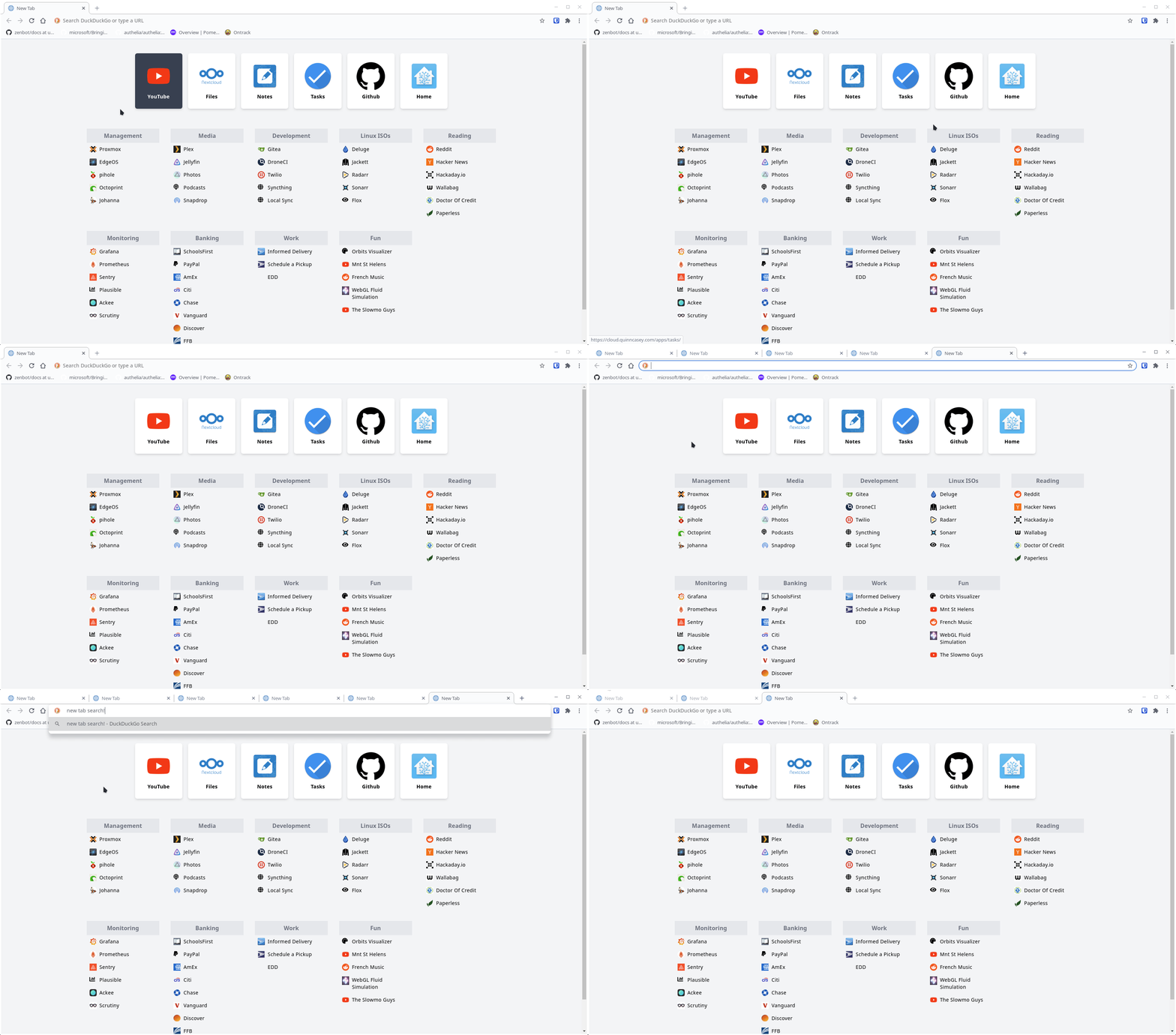
# Salient Startpage A startpage with light/dark mode, automatic favicons per site, and retained search bar focus. For the latter Chromium new tab focus / custom new tab page, you’ll want these chromium patches. A little advanced, but worth it! This is compatible with Homer, you can copy/paste your sites/urls/icons from there to config.yaml. The startpage itself can be rendered to an .html file with a directory of images. Run with Docker Clone, build, and run the container: git clone https://github.com/qcasey/SalientStartpage && cd SalientStartpage docker build -t salient-startpage . docker run -p 8080:80 --name salient-startpage salient-startpage Just want the HTML/CSS? Keep the container running like above, and copy the files out: docker cp $(docker ps -aqf "name=salient-startpage"):/usr/share/nginx/html ./public You should be able to point a browser to ./public Configuring Rebuild the container above after making changes to config.yml. The docker build step will fetch favicons to the bookmarks you define, and use Hugo to render the final version of your startpage.

Android home and app launcher for large in-vehicle displays.
Hugo 💓 Dendron I use Hugo to render a static site. This includes the theme, markdown parser, and structure. All of the content is separate from the site, and is built from Dendron notes. Quantified Self reports and assets are pushed to the notes from CI/CD. DroneCI pulls the Hugo structure and my content together and publishes a docker image. I explain these build steps more here. Why? I love Dendron. I love Hugo. I wish they were mildly more interoperable, but I’m rarely afraid of some DIY. Also, DroneCI happens to pair nicely with the gitea instance I already run in my Homelab. Some negatives to this complex approach include: At the moment, only my public notes have a frontend. Private notes don’t show up anywhere beyond VSCode. For now. I lose quick preview functions like Dendron: Preview or hugo serve -D. I rely entirely on VSCode to render my notes properly and have to do theme changes in a different workspace. I must follow Dendron’s updates and keep my export pod compliant. (Otherwise I run into unexpected errors) However, the pros heavily outweigh the cons. Keep stellar tools I get all the benefits of a static site generator, while continuing to use and incredible open source note taking app. Privacy These measures let me write all my learning, thoughts, and projects in a single place. I can then strike my own balance on privacy and keep from oversharing with public flags in the frontmatter. Quantified Self Part of the appeal of a dynamic build system is the mixing of data sources, journals, and reports in the quest for Quantified Self. This dynamic content is generated at build time or on a schedule. Ultimately the price I pay for complexity is just more complexity.

Redeploying container images built in CI/CD to a Nomad cluster.
Quantified Self (QS) is a method of collecting and interpreting your personal data, usually for self improvement. The inputs range from health datapoints like sleep hours or running miles, to media consumption like movies watched or books read. Luckily, I happen to hoard data and lots of it. I’ve done my darndest to Jaws-of-life this data away from corporate silos or simply start collecting it myself. For the most part this data is gathered automatically. There are others who opt for a richer, minute-to-minute, manual data point entry but I don’t think the tradeoff is worth it. Automation rules, manual life-logging drools. I have broken down my QS project into two corresponding phases: Step 1: Collect Step 2: Interpret Report improvement ideas Inspiring Links Inspiring quotes I take an overwhelming amount of inspiration from Julian’s media consumption reports. Step 1: Collect A niche part of the internet has already trailblazed the collection of numerous health, emotion, and habit data. This is a list of what I’m exporting and from where, along with what I’d like to add. ListenBrainz and SimpleScrobbler for music listen history GPSLogger location tracking HoTS game history AntennaPod syncs to GPodder.net for podcast history Habits for custom streak tracking (meditation, exercise, mood, etc) Beancount for personal finance records Miniflux reading time New RSS subscriptions Dead links, with substitute links to my archive Inventory Updates Step 2: Interpret There’s so much we can learn about ourselves, if we take the time to look. Sometimes, our money knows us better than we know ourselves. Tracking our finances can reveal what we are in denial of, […] and what might be holding us back. Robert A. Belle After beginning my data collection habits, I can focus on creating automatic reports of this data. These will aggregate statistics and hopefully help identify trends in my personal behavior. Parsing of this data is done using my QS parsers. Know your wolf. https://ncase.me/mental-health/ Report improvement ideas Music Breakdown by hour, genre? Show map of artist location Yearly overviews with manual interpretations Redacted summaries of journal entries, like Julian’s digital playground. █████████ ████ ████████ ❌ Inspiring Links Visualization https://datasette.io/ https://github.com/heedy/heedy Tools and Data https://github.com/woop/awesome-quantified-self https://anaulin.org/blog/structured-book-data-in-hugo-posts/ Excellent Examples http://feltron.com/FAR14.html https://julian.digital/location/madrid/ https://szymonkaliski.com/stats/ Inspiring quotes “huh, I appear to netflix-binge under certain conditions, despite the fact that I’d rather not. I wonder which conditions, specifically, led to that binge! What were the triggers? How could they have been avoided? What methods might help me avoid binging in the future?” https://mindingourway.com/dont-steer-with-guilt/ to get anywhere I need to record how things felt in the past. https://www.neelnanda.io/blog/35-standards
I try to self-host the software and services I use on a daily basis.
Digital Garden I like the idea of writing with the garage door open. I write notes to help myself a year from now. But if I publish an obscure thing that helps someone do something cool, I wouldn’t complain. Our natural fear of being judged leads most people to build, learn, and think privately. But seeking validation should not be the goal of learning in public. ~ Anne-Laure Le Cunff My sites are hosted in my Homelab, these notes are written in Dendron. I publish the site using Hugo. Plain text is wonderful. It allows me to easily find ideas, references, links, personals notes, tasks, thoughts and everything else I want to keep handy. Even short jots and thoughts deserve their space. Being useful for me is the primary use case for this space on the internet. It’s not that I don’t care about you, but this is for me. It’s here so I can record what I think and know and preserve it in time and space. It’s my garden, but I’m happy for you to hang around and eat tomatos with me. https://joelhooks.com/on-writing-more In it’s current iteration, digital gardens take active effort on the part of the reader to wade through links to related pieces of content. This is very unlike a real garden: you don’t have to be an expert at horticulture or garden design to appreciate the overall landscape. You can easily engage with many different levels of a real garden at the same time, telescoping in and out at will to first examine the minutae of informational placards or specific plants and then returning to a broad perspective of the scenery as a whole. https://vivqu.com/blog/2020/10/18/digital-gardens/ Links to other gardens nikitavoloboev You and your mind garden Building a digital garden A Renaissance of Open Thinking and Curated Writing on the Web Digital gardens Work with the garage door up brendex beepb00p My blog is a digital garden, not a blog Julian’s lifelog and digital playground Alex’s Notes YouTube Creators Linux The Linux Experiment Linux For Everyone Techno Tim ExplainingComputers Makers Estefannie Explains It All JetsonHacks MickMake N-O-D-E Zack’s Lab Strange Parts Maker’s Muse Make Anything
he/him Li Ming Main Questionable Music Taste Gnome Enjoyer Intermediate Runner Rosemary Collector I have consumed 38.44% of my time on Earth (out of 80 years). I like Mountain Dew code red and getting caught in the sun. Work I’m a software engineer and lead infra dev at PhotoPanda. My contributions vary wildly, but I’m most competent at: Full stack NextJS apps Python image processing pipelines Infrastructure automation Distributed file storage Server hardware deployment and administration Personal Projects My personal projects gravitate toward Flutter, Go, and Javascript. I’ve dabbled with pcb design, [[sbc-transcoding/index.md|sbcs]], and embedded electronics. My homelab allows me to play with overly complex infrastructure. Contact Feel free to send links, random thoughts, and mediocre jokes. For recruiter spam, please contact me at recruitmentspam@letterq.org. For thoughtful business inquiries, please contact me at career@letterq.org. For everything else, you can write to something clever at letterq.org and I’ll probably get it. If seeing the unread count on your email distresses you, I’m also on the following socials: email github telegram discord PGP:B670795930CF07B9DE5F8FD7020CCCFCB93DA9A5
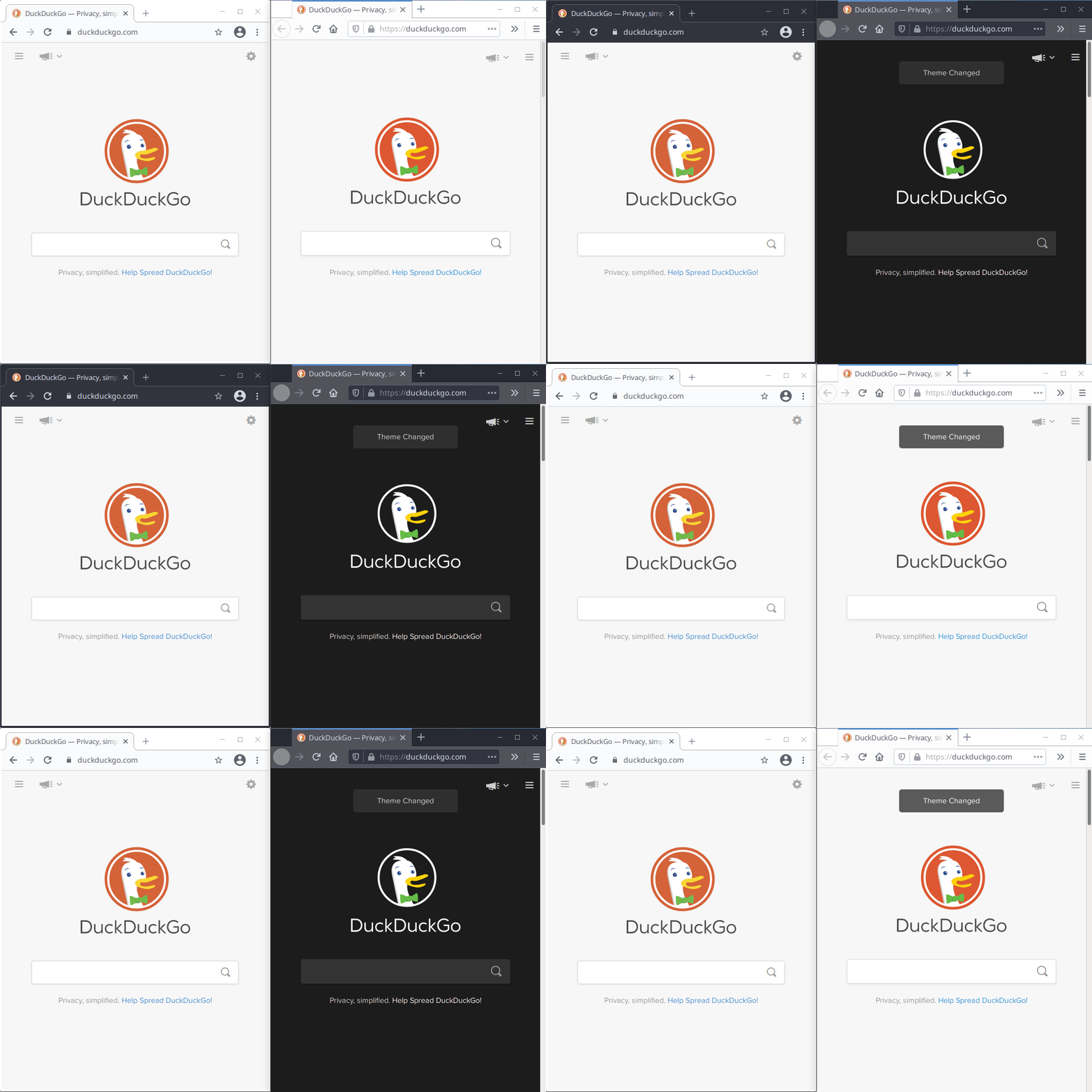
My custom Chromium patches, including GTK dark mode and an extension-less startpage that maintains its address bar focus.
2020
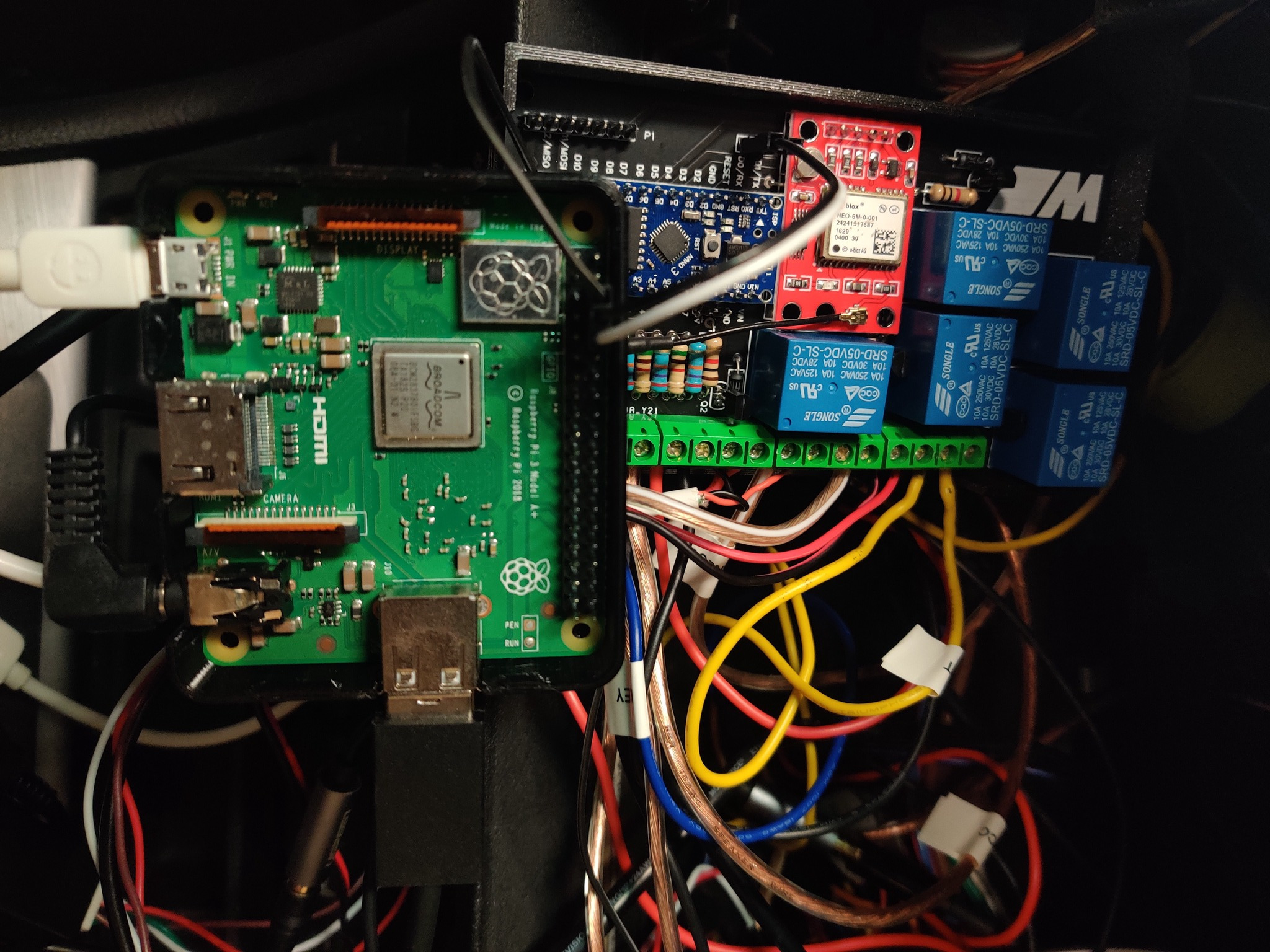
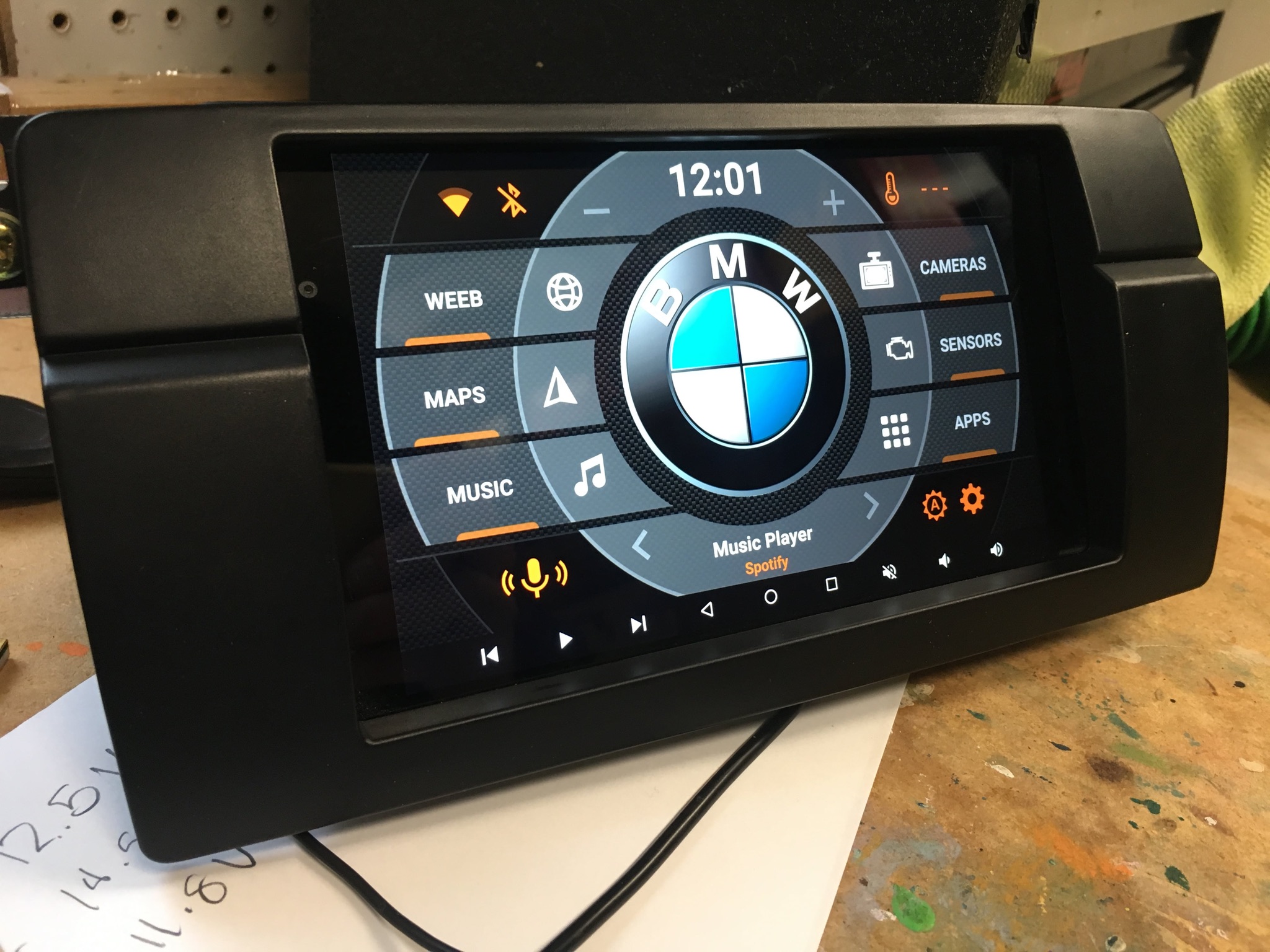
Modernizing my 2005 BMW by adding oodles of connectivity and custom electronics.
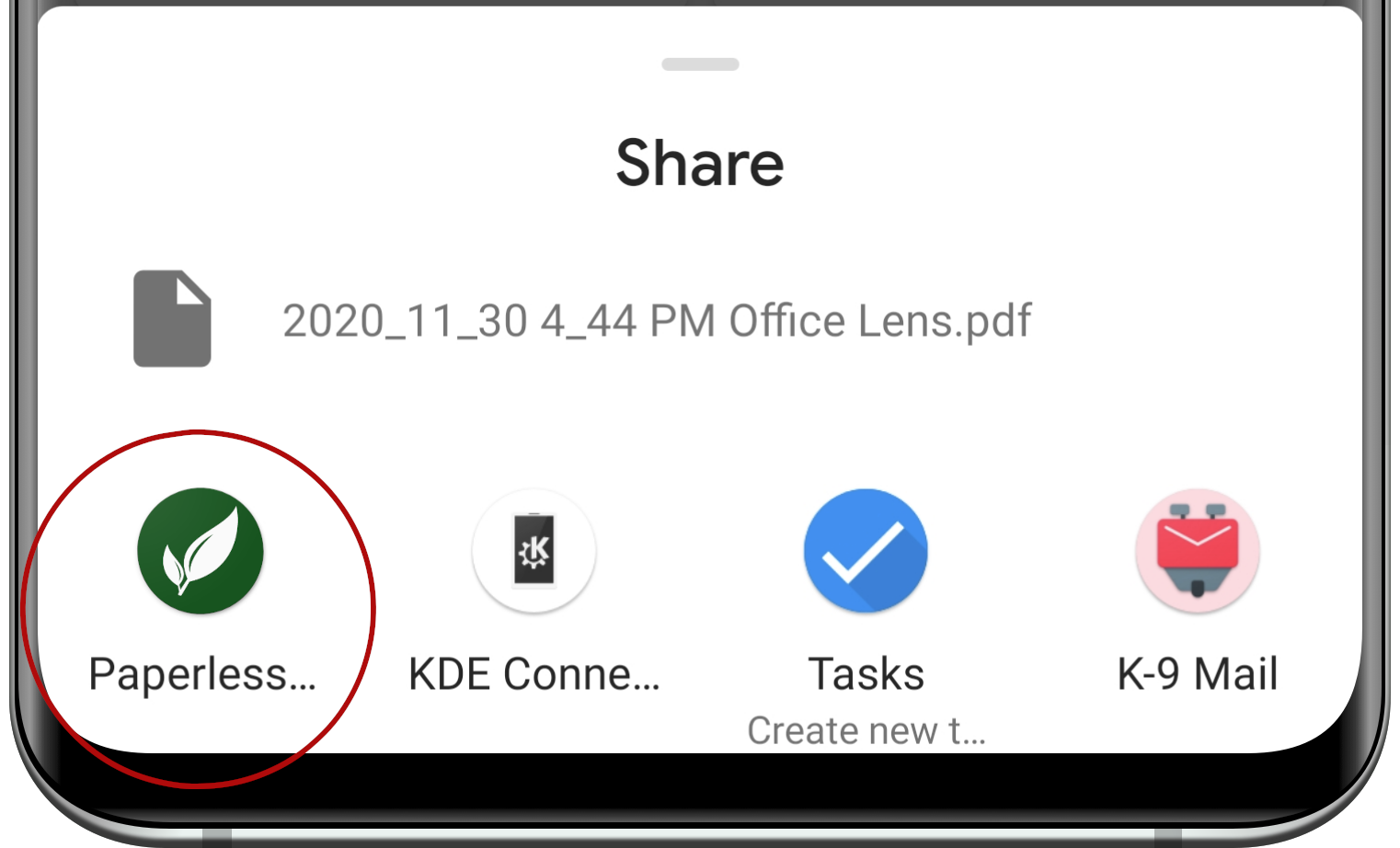
An Android App to share your documents with your Paperless server
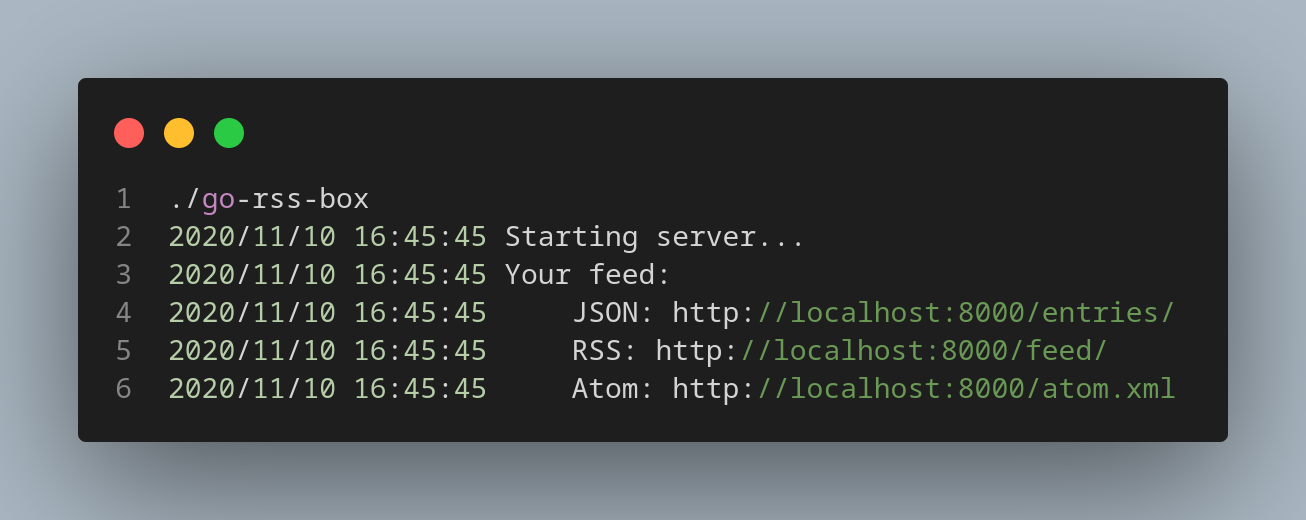
Essentially my own implementation of Kill the Newsletter.
Go KBus is a golang module designed to interface with the BMW I/K Bus. It can be used to write, read, and interpret serial commands on this particular wire. It's loosely based on ezeakeal's excellent pyBus.
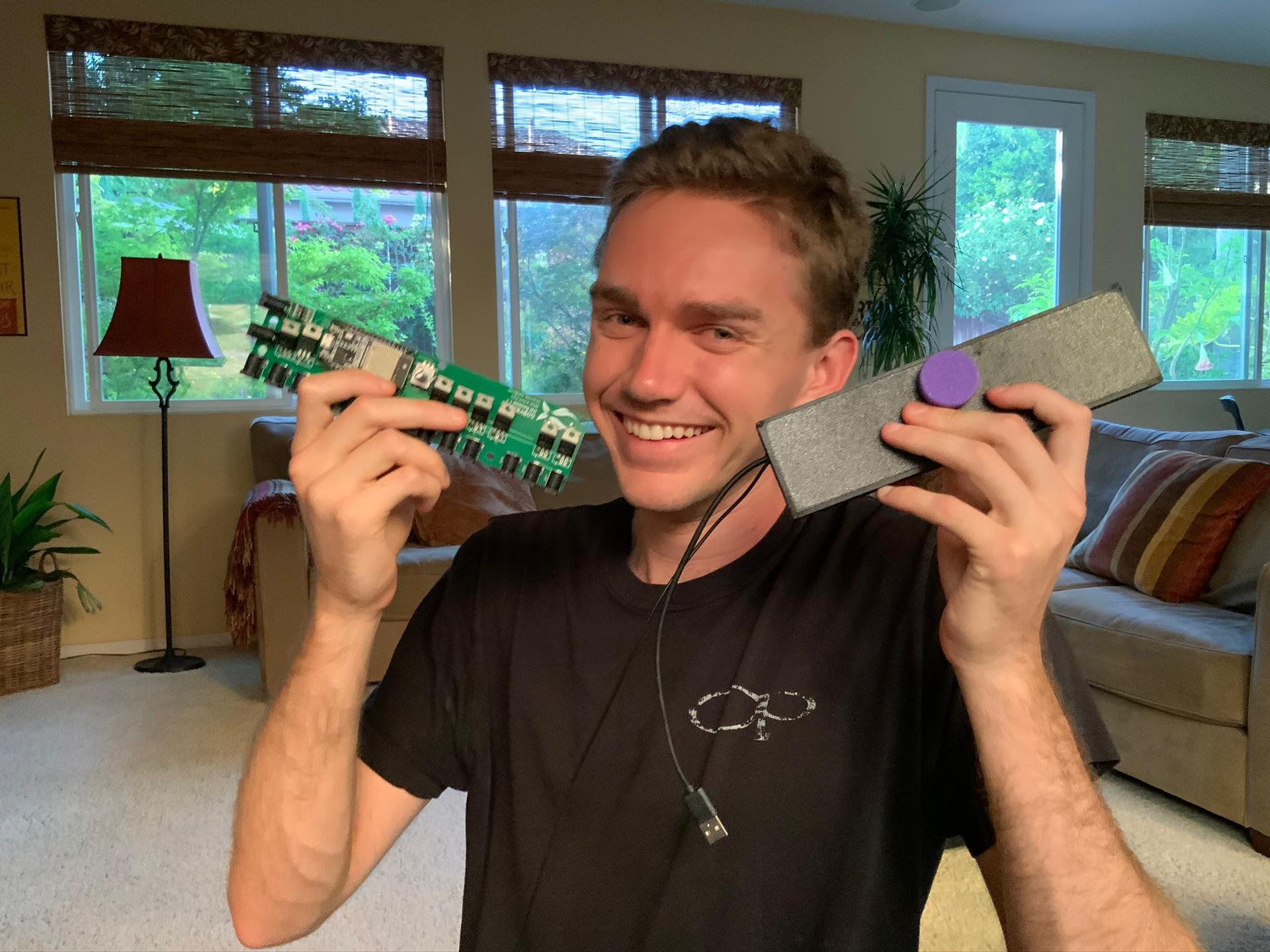
Intelligent aquarium light control utilizing a full stack of hardware, lower level C, and React Native mobile apps for a unique IoT solution.
Generate boot image from here: https://github.com/kholia/OSX-KVM With this as a guide for proxmox: https://manjaro.site/how-to-install-macos-big-sur-on-proxmox-ve/ GenSMBIOS, ProperTree, Hackintool are REQUIRED! Post Install Use Clover Configurator to mount EFI disk of root and OpenCore install disk. Copy OpenCore install disk EFI files to root efi. Open config.plist into GenSMBIOS, use the settings there. Use Hackintool to check that en0 is built-in. If not, use ProperTree to edit the plist as described here FIXME NSKeyedArchiver Notes

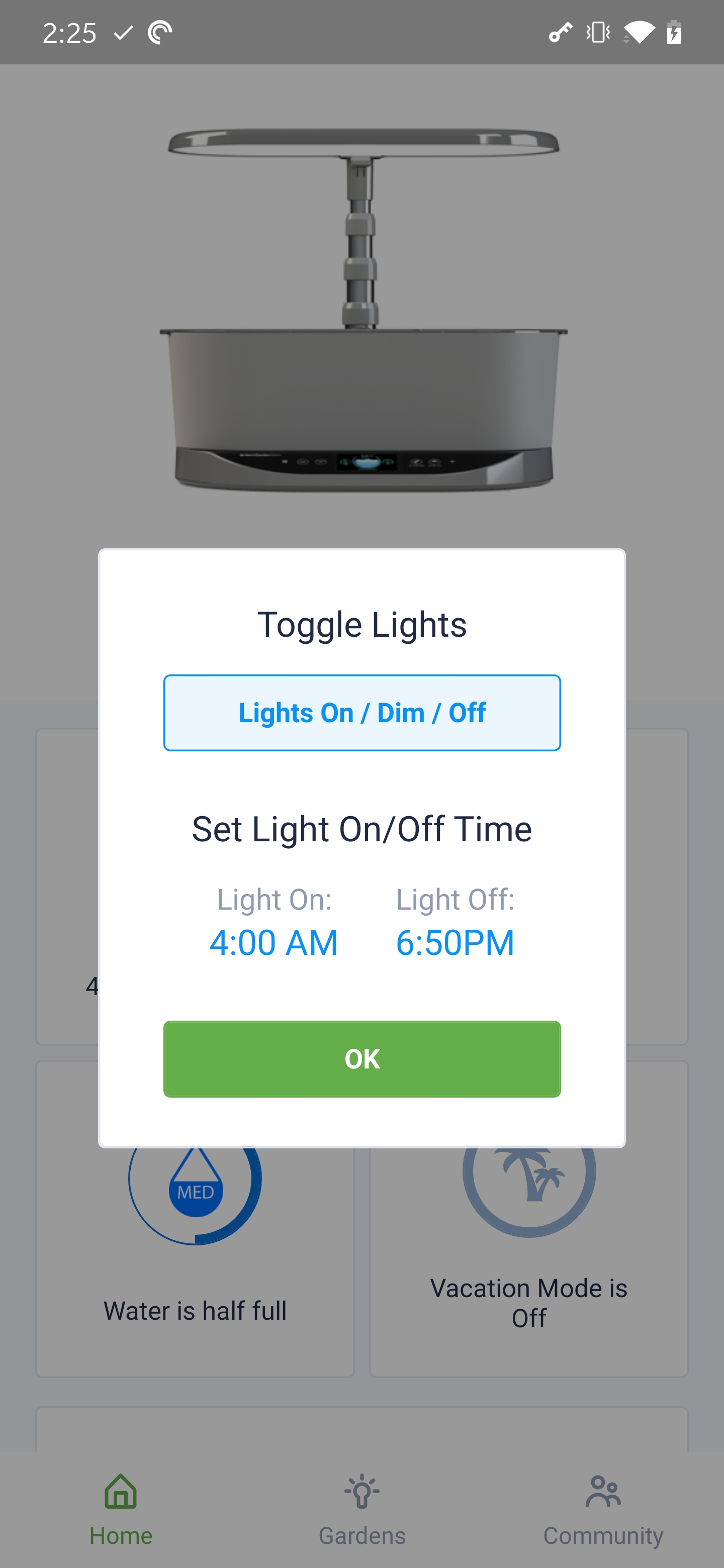
A guerilla redesign of AeroGarden's Android app, written in React Native. I built it with a clean but functional aesthetic that reflects the premium brand.
2019
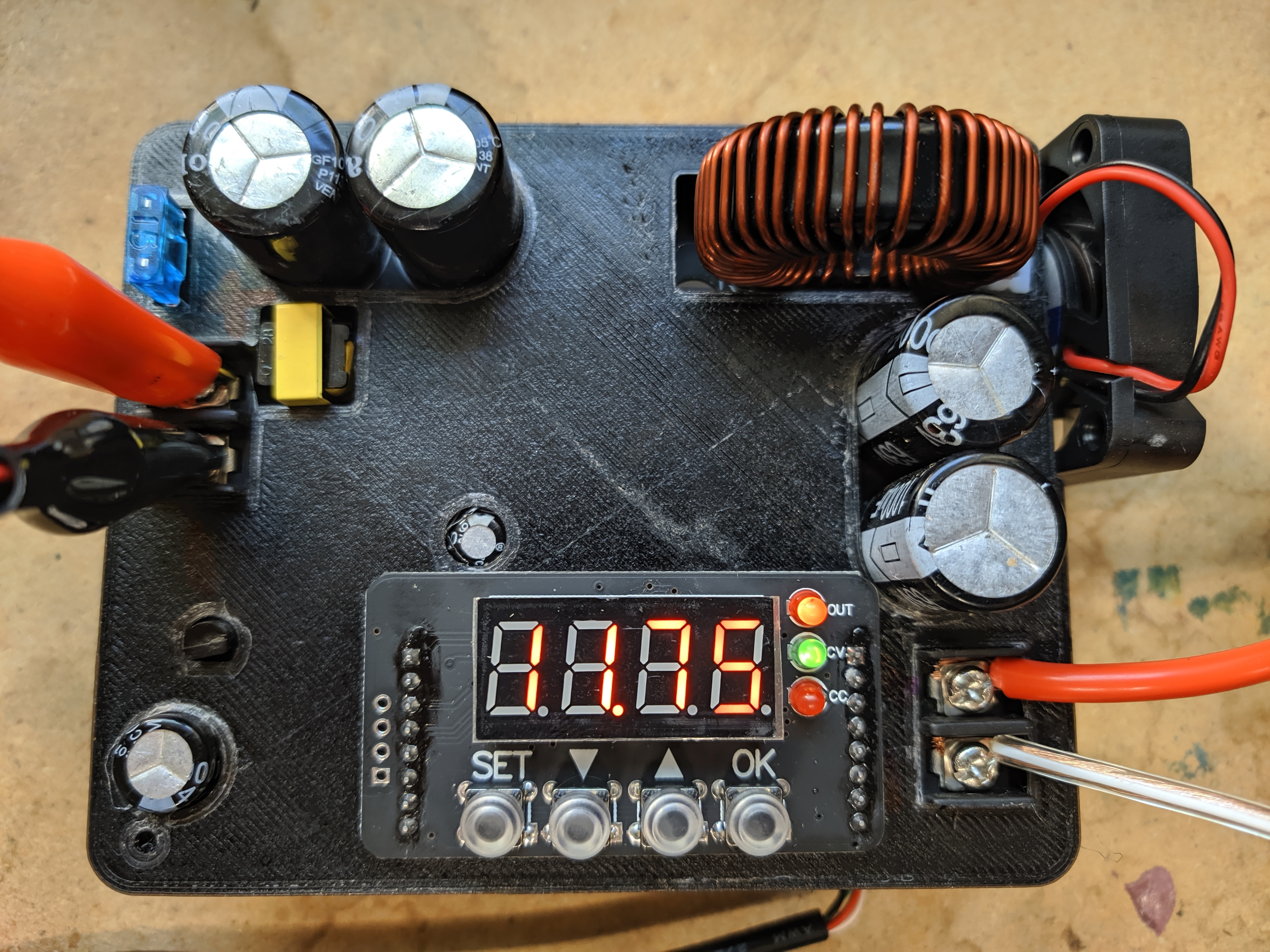
Go module for Drok branded PSUs. Abstracts reading and writing voltages, currents, and states. It utilizes a fully featured serial IO writer found in many similar Go projects.

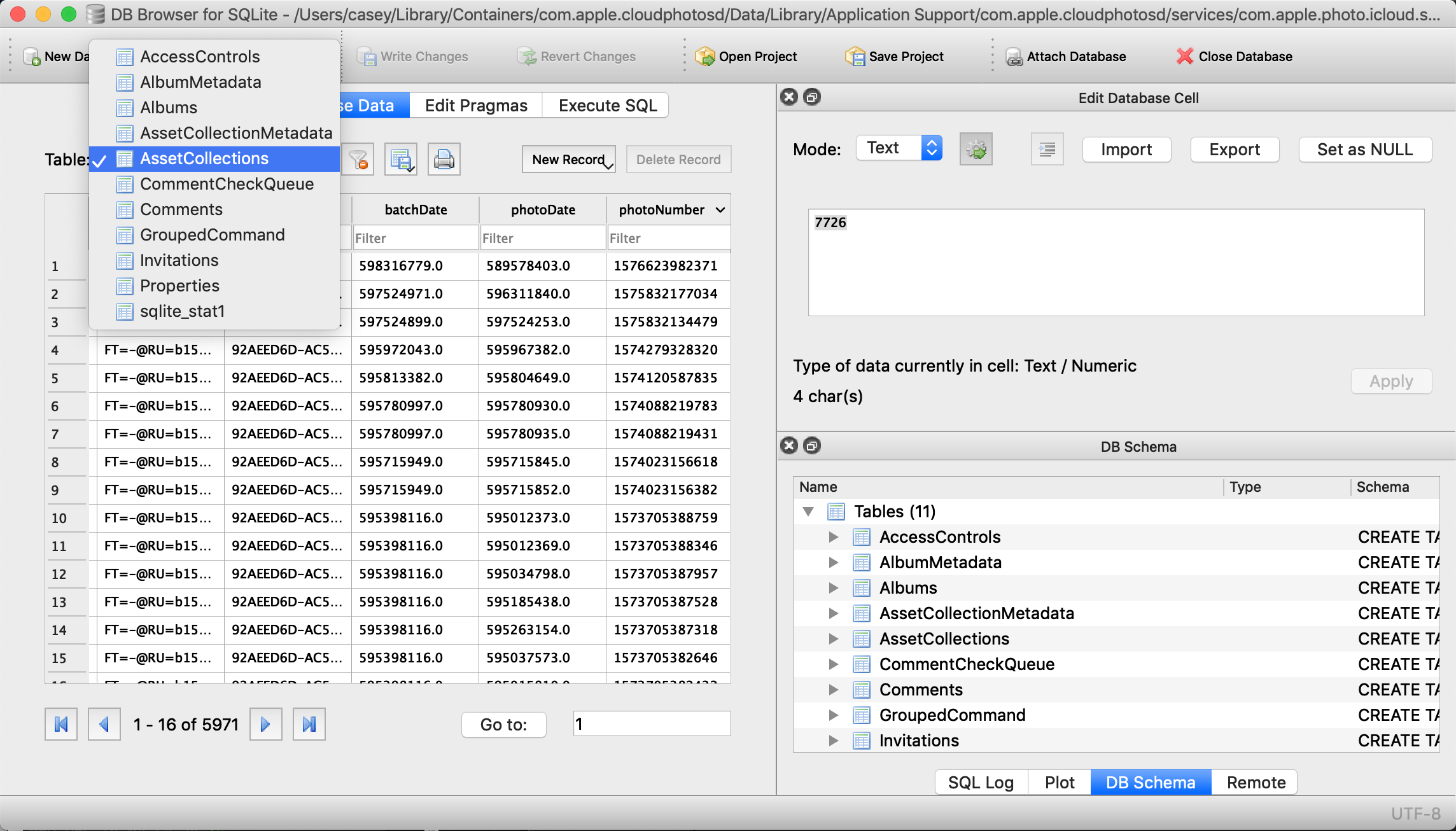
App+Server for shared iCloud streams. It parses Apple's binary plist data, then organizes the Albums, Photos, and Comments into queryable chunks.

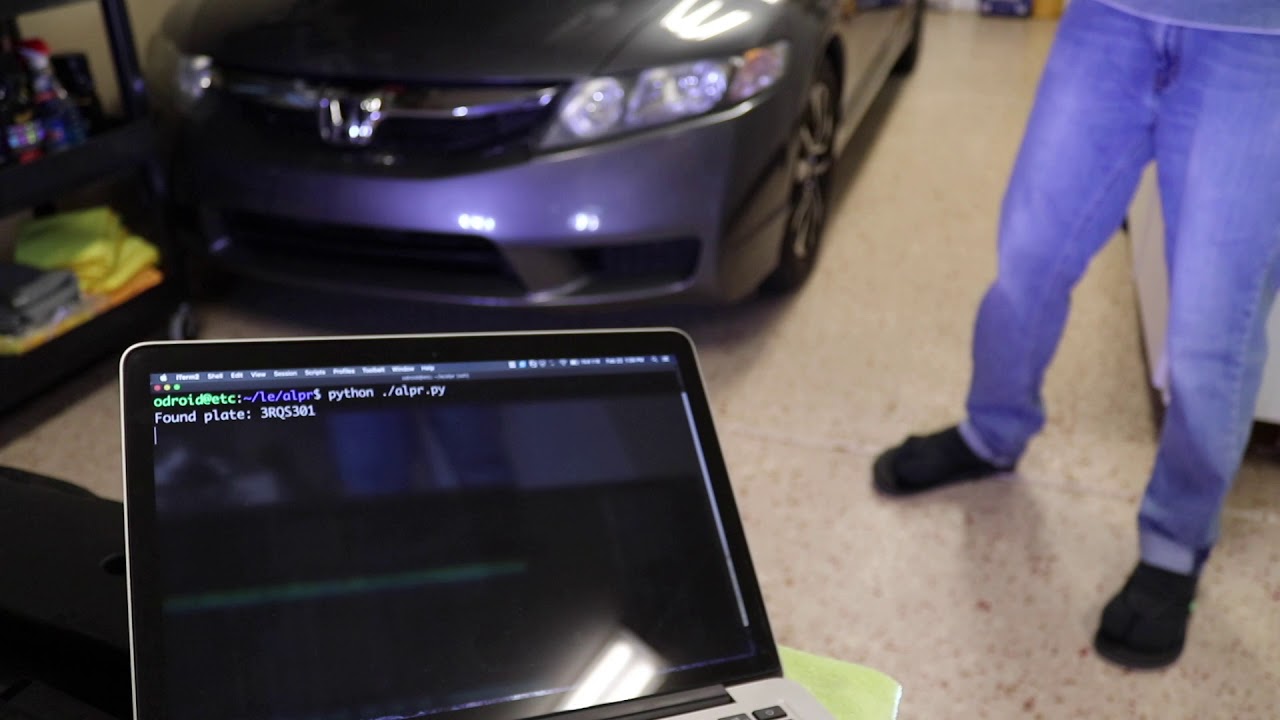
I have OpenALPR running on this tiny machine, using two cameras mounted in the lower fog lights as its source.


2018

An ESP-32 programmed to dynamically fetch, cache and distribute a fish tank's temperature and lighting status. A PHP webpage provides control and alerts me on Slack if the temperature becomes unsafe.